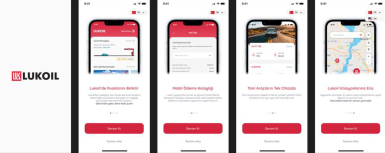
Onboarding Screen
When the user downloads and opens the app from the store for the first time, the onboarding screens appear. By clicking the “Continue” button, they move to the next introduction screen, or they can choose Turkish or English language through the “Skip Intro” button on this screen.
Pages Usable Without Logging In
The user can view the map and station services, view campaigns, and access Language Options, Lubricants, and Support - Frequently Asked Questions pages from the menu.
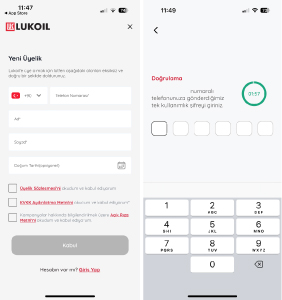
Sign Up
Once the required fields (Phone Number, First & Last Name, Date of Birth) are completed, the user clicks “Continue” and enters the 6-digit verification code sent via SMS to complete the registration process.
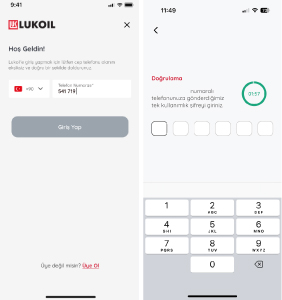
Log In
The user enters their phone number and then enters the 6-digit verification code sent via SMS to log into the application.
Logging In from Another Device with the Registered Phone Number
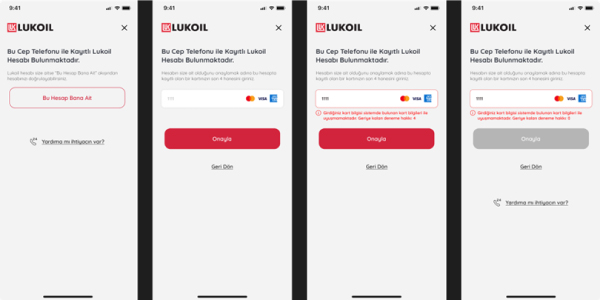
When trying to log in from a different device than the one registered, the user must confirm ownership by clicking “This Account Belongs to Me” and entering the last 4 digits of the credit card saved in the account. If there is no credit card registered or the user does not remember the card details, they can click “Need Help?” for customer service support.
Tab Bar
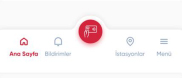
From the Tab Bar, the user can navigate to “Home, Notifications, Payment, Stations and Menu.”
HOME PAGE
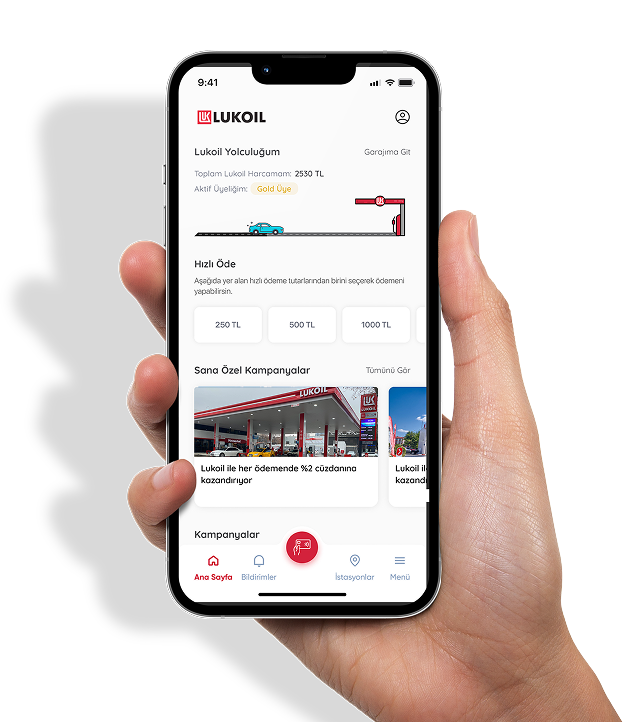
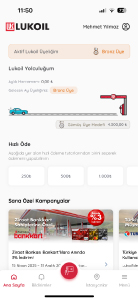
LUKOIL Journey
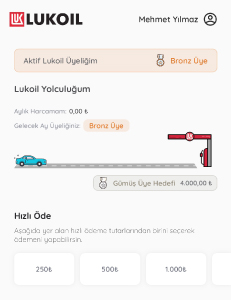
“Active Membership” The segment where the user benefits from monthly advantages
“My Monthly Spending” The fuel spending made by the user during the current month
“Next Month Membership” The segment the user will move to next month based on this month’s spending
“User taps on Lukoil Journey” to view detailed information about their current segment on the “Segment Details” page.
Membership Details
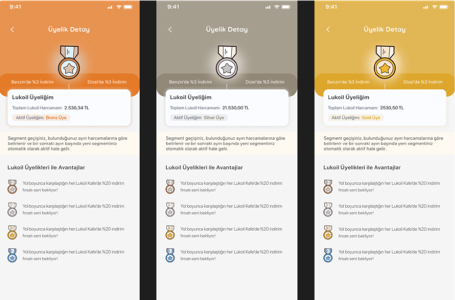
Discounts in the user's current segment and advantages of other segments are displayed on this page.
Quick Actions
By selecting the amount they want to pay, the user is directed to the payment process.
Personalized Campaigns
Campaigns tailored for the user are displayed. Clicking a campaign directs the user to its details.
Campaigns
All defined campaigns are displayed. Clicking a campaign directs the user to its details.
Download the Lukoil Mobile App now and become a member; start benefiting from special discounts for bronze, silver and gold segments!